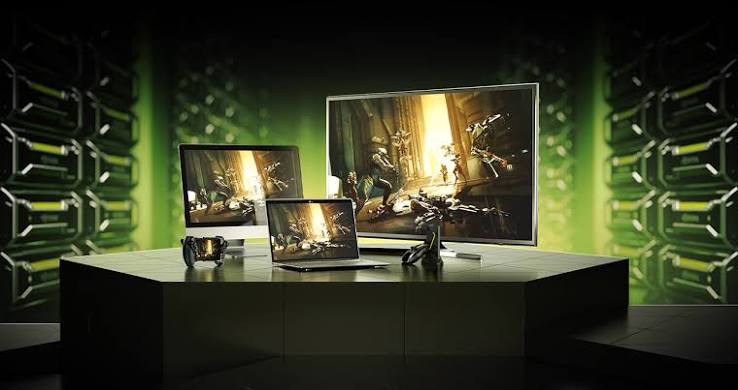
Cloud gaming is no longer a futuristic concept — it's a $15 billion industry in 2026, and growing rapidly. Whether you're building a GeForce Now competitor, an esports tournament platform, or an interactive game streaming service, the infrastructure decisions you make will determine your success.
This guide is based on real deployments at InfraVault Technologies, where we've helped dozens of gaming companies build production-grade cloud gaming infrastructure across Tier-4 Indian datacenters.
What Is Cloud Gaming (Quick Refresher)
Cloud gaming renders games on remote servers and streams the video output to players' devices over the internet. The player's inputs are sent back to the server in real-time. Think of it as "Netflix for video games" — but the computational requirements are 100x higher.
Key components:
- Game Server — Runs the actual game
- GPU Hardware — Renders the graphics
- Streaming Protocol — Encodes and transmits video
- Network Infrastructure — Delivers low-latency connectivity
- Client Application — Player-facing app or browser
Step 1: Choose the Right GPU
The GPU is the heart of your cloud gaming infrastructure. Here's a comparison of viable options for 2026:
| GPU | Best For | Concurrent Players | Cost Tier |
|---|---|---|---|
| RTX 4090 | 4K AAA gaming, esports | 1-2 users per GPU | Premium |
| RTX 4080 | 1440p high-fps gaming | 2-3 users per GPU | Mid-High |
| RTX 3090 | 1080p-1440p gaming | 2-3 users per GPU | Mid |
| RTX A6000 | Professional/VR streaming | 1-2 users per GPU | Premium |
| NVIDIA L40S | Enterprise cloud gaming | 4+ users per GPU | Enterprise |
Our Recommendation
For startups (₹5-50 lakh budget): Start with RTX 4090 servers — best price-to-performance ratio for premium gaming experiences.
For mid-scale (₹50L-5Cr budget): Mix of RTX 4080 and RTX 4090 servers, load-balanced by game title.
For enterprise (₹5Cr+ budget): NVIDIA L40S clusters with NVLink for maximum user density.
Step 2: Optimize for Latency
Latency is the make-or-break factor in cloud gaming. Industry targets:
- < 20ms — Competitive gaming (esports, FPS)
- < 40ms — AAA single-player games
- < 60ms — Casual/mobile games
Latency Reduction Strategies
1. Geographic Proximity — Deploy servers close to your player base. For Indian players, Tier-4 datacenters in Noida, Mumbai, Bangalore, and Hyderabad provide <12ms latency to 90% of urban India.
2. NIXI Peering — Direct peering with National Internet Exchange of India (NIXI) eliminates intermediary hops.
3. 10 Gbps Network — Bandwidth ensures no packet queuing delays at scale.
4. Hardware Encoding — Use NVIDIA NVENC for hardware-accelerated H.264/HEVC encoding. Reduces CPU load and adds zero latency.
5. Advanced Streaming Protocols — WebRTC, SRT, or NVIDIA CloudXR for real-time streaming.
Step 3: Choose Your Streaming Protocol
| Protocol | Latency | Best For |
|---|---|---|
| WebRTC | < 30ms | Browser-based gaming |
| SRT | < 50ms | Broadcast/spectator modes |
| RTMP | 2-5 seconds | One-way streaming only |
| NVIDIA CloudXR | < 20ms | VR/AR gaming |
| Parsec Protocol | < 25ms | Desktop-grade gaming |
Step 4: Server Configuration
For a production-grade cloud gaming server, here's a recommended spec:
- GPU: RTX 4090 (24GB GDDR6X)
- CPU: AMD EPYC or Intel Xeon (8+ cores)
- RAM: 64GB DDR4/DDR5 ECC
- Storage: 1TB NVMe Gen4 (for game files + caching)
- Network: 10 Gbps dedicated
- OS: Ubuntu 22.04 LTS or Windows Server 2022
At InfraVault, we provide pre-configured cloud gaming servers with all of this ready to deploy in under 60 seconds.
Step 5: Cost Analysis (Indian Market)
Realistic cost breakdown for a 100-user cloud gaming platform:
| Component | Monthly Cost (INR) |
|---|---|
| 10x RTX 4090 Servers (rental) | ₹2,50,000 - ₹4,00,000 |
| Bandwidth (10 Gbps) | ₹50,000 - ₹1,00,000 |
| Storage (NVMe) | ₹20,000 - ₹40,000 |
| DDoS Protection | Included |
| Management & Support | ₹30,000 - ₹60,000 |
| Total | ₹3,50,000 - ₹6,00,000 |
Revenue model: If you charge ₹500/month per user, you need ~1,000 active users to be profitable with a healthy margin.
Step 6: Software Stack
For game servers:
- SteamCMD for game installation
- LinuxGSM for game server management
- Docker for containerization
- Kubernetes for orchestration (at scale)
For streaming:
- Sunshine (open-source game streaming host)
- Moonlight (client)
- Parsec (commercial alternative)
- Custom WebRTC stack
For monitoring:
- Prometheus + Grafana
- NVIDIA Data Center GPU Manager (DCGM)
- Custom latency monitoring
Common Pitfalls to Avoid
1. Underestimating Bandwidth — Cloud gaming uses 15-45 Mbps per user. For 100 users, that's 1.5-4.5 Gbps minimum.
2. Ignoring Anti-Cheat — Kernel-level anti-cheat (Easy Anti-Cheat, BattlEye) may not work in cloud environments. Test before launching.
3. Poor Session Management — Sessions must persist across GPU failures. Use state snapshots and migration.
4. No DDoS Protection — Gaming platforms are prime DDoS targets. Always-on mitigation is mandatory.
5. Neglecting Content Licensing — You can't just stream any game. Work with publishers or use free-to-play titles.
Deploying with InfraVault
We provide turnkey cloud gaming infrastructure:
- RTX 4090 & RTX A6000 servers — Instant deployment
- 10 Gbps network with NIXI peering — <10ms latency across India
- NVMe Gen4 storage — Fast game loading
- DDoS protection — Always-on, multi-Tbps mitigation
- 24/7 expert support — Gaming-specialized engineers
Ready to build your cloud gaming platform? Explore our cloud gaming servers or talk to our team.
Frequently Asked Questions
How many players can one RTX 4090 server support?
For AAA 4K gaming: 1-2 players per GPU. For 1080p esports titles: 3-4 players per GPU. Using virtualization (vGPU), you can optimize further.
What internet speed do players need?
15 Mbps for 1080p 60fps, 25 Mbps for 1440p 60fps, and 45 Mbps for 4K 60fps. A stable connection matters more than peak speed.
Can I run this on AWS or Azure?
Yes, but costs are typically 2-3x higher than dedicated Indian infrastructure. For an Indian user base, local deployment is more cost-effective and lower-latency.
How do I handle game updates?
Use a master image strategy — update once, deploy to all servers via your orchestration layer (Docker, Kubernetes, or Ansible).
InfraVault Technologies powers cloud gaming platforms across India with Tier-4 GPU infrastructure. Trusted by gaming startups and esports platforms for mission-critical workloads.